I spent years hunting for the perfect ergonomic chair after my back injury in 2012, but I learned something frustrating: even the best chair won’t save you if your monitor is too low or your keyboard is positioned wrong. You’ll still end up with neck pain, wrist strain, and shoulder tension. Here’s what I figured out about setting up your desk properly.
Monitor Position: Getting the Height and Distance Right
The monitor position is where I see most people get it wrong. Based on ergonomic guidelines and what consistently shows up across professional reviews and user reports, these are the measurements that actually work:
Height: The top of your screen should be at or slightly below eye level
Tilt: Tilted back 10-20 degrees so you’re looking slightly downward
Position: Directly in front of you, not off to the side
I can’t stress this enough: if you use a laptop, a monitor arm or laptop stand is essential. Looking down at a laptop screen for hours is one of the fastest ways to develop neck and upper back pain. I made this mistake for months when I first started working from home, and it made my existing back problems significantly worse.
The arm’s length rule works well in practice. Sit back in your chair and extend your arm forward. Your fingertips should just touch the screen. This distance reduces eye strain while keeping text large enough that you don’t lean forward to read it.
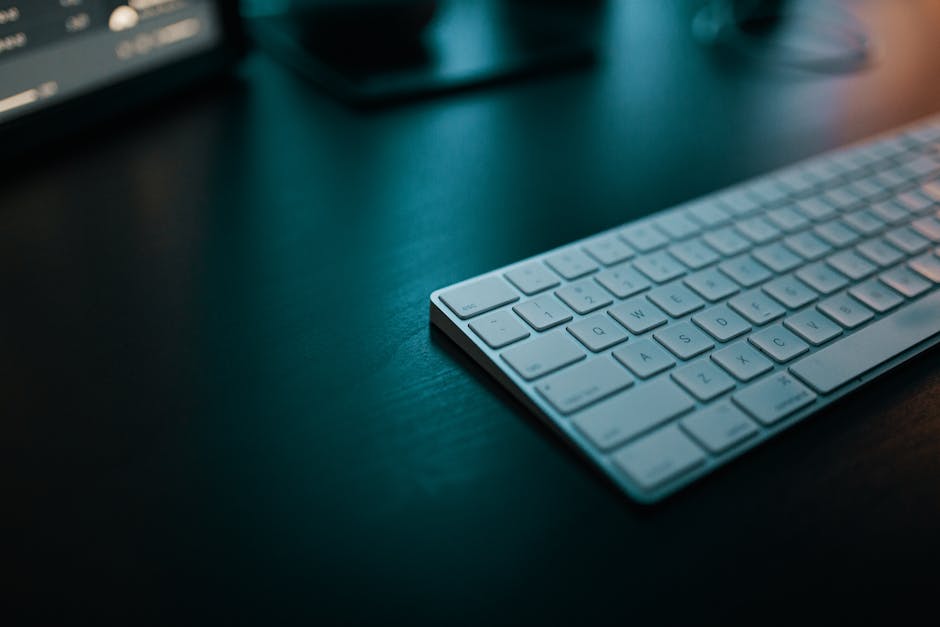
Keyboard Placement: Angles Matter More Than You Think
I used to prop my keyboard up with those little feet in the back. Bad idea. Here’s what actually works:
Height: Elbows at 90-110 degrees with forearms parallel to the floor
Position: Directly in front of you, centered on the letters (not the whole keyboard)
Tilt: Flat or with a negative tilt (front edge higher than back) — never with keyboard feet up
Wrists: Neutral position, not bent up or down. A wrist rest is for resting between typing, not while typing.
The negative tilt thing surprised me when I first read about it in an ergonomics study. It keeps your wrists in a more natural position instead of forcing them to extend upward. After switching to a flat keyboard and paying attention to wrist position, I noticed less tension in my forearms during long coding sessions.
About wrist rests: they’re for breaks, not active typing. When you’re typing, your hands should float above the keys with your wrists straight. Resting your wrists while typing creates pressure points and can restrict blood flow.
Mouse Position and the Vertical Mouse Question
Location: Right next to your keyboard at the same height
Grip: Your hand should rest naturally on the mouse without reaching
Consider: A vertical mouse reduces forearm rotation strain significantly
I was skeptical about vertical mice for years. They look weird and feel awkward at first. But the biomechanics make sense. A traditional mouse forces you to rotate your forearm and flatten your hand, which creates tension over time. A vertical mouse lets your arm stay in a handshake position.
The Logitech MX Vertical gets consistently strong marks in independent reviews for reducing forearm strain, and the user feedback backs that up. The reported learning curve is about a week. I don’t recommend it for everything (gaming still feels better with a traditional mouse), but for regular work the adjustment seems worth it based on what people report.
The 20-20-20 Rule: More Than Just Eye Rest
Every 20 minutes, look at something 20 feet away for 20 seconds. This isn’t just about eye strain, though that’s important. It forces you to break your posture pattern and recalibrate. Your neck extends, your shoulders shift, and your spine gets a brief reset.
I set a timer for this when I remember to. Combine it with the desk stretches from our stretching guide and you have a decent system for breaking up long work sessions.
Watch: Ergonomic Desk Setup Guide
Video courtesy of Bob & Brad
Products Mentioned in This Article
As an Amazon Associate, I earn from qualifying purchases. These links help support the site at no extra cost to you.
Should I use a wrist rest while typing to prevent wrist strain?
No, wrist rests should only be used for resting between typing sessions, not while actively typing. When you’re typing, your wrists need to stay in a neutral position without being bent up or down. Using a wrist rest while typing creates pressure points and can restrict blood flow, which actually increases strain rather than reducing it. I learned this the hard way after developing some numbness in my fingers from resting my wrists too much while working.
How do I know if my monitor is positioned at the correct distance from my eyes?
Your monitor should be at arm’s length, roughly 20-26 inches away from your eyes. To test this, sit back in your chair and extend your arm forward. Your fingertips should just touch the screen. This distance helps reduce eye strain while keeping text large enough to read comfortably without leaning forward.
Why shouldn’t I use the keyboard feet to tilt my keyboard upward?
Using keyboard feet creates an upward tilt that forces your wrists into an extended position, increasing strain on your tendons and potentially leading to repetitive stress injuries. Instead, keep your keyboard flat or use a negative tilt with the front edge slightly higher than the back. This allows your wrists to maintain a more natural, neutral position while typing. I used those little feet for years before I understood why my wrists were getting sore during long programming sessions.
Can a vertical mouse really help with wrist and forearm pain?
Yes, a vertical mouse can significantly reduce forearm rotation strain by allowing your hand to maintain a more natural handshake position. Traditional mice require you to rotate your forearm and flatten your hand, which creates tension over long periods. A vertical mouse keeps your arm in a more neutral position. The biomechanics are sound, and independent reviews and user reports consistently back this up. The adjustment period is maybe a week.
What should I do if I primarily work on a laptop and can’t use an external monitor?
If you must use a laptop, invest in a laptop stand to raise the screen to proper eye level height. But you’ll also need an external keyboard and mouse since raising the laptop makes the built-in keyboard and trackpad unusable at the correct ergonomic positions. Looking down at a laptop screen for extended periods is one of the fastest ways to develop neck and upper back pain. I made this mistake when I first started working from home and it aggravated my existing back problems significantly.
Additional Products Mentioned
As an Amazon Associate, I earn from qualifying purchases. These links help support the site at no extra cost to you.