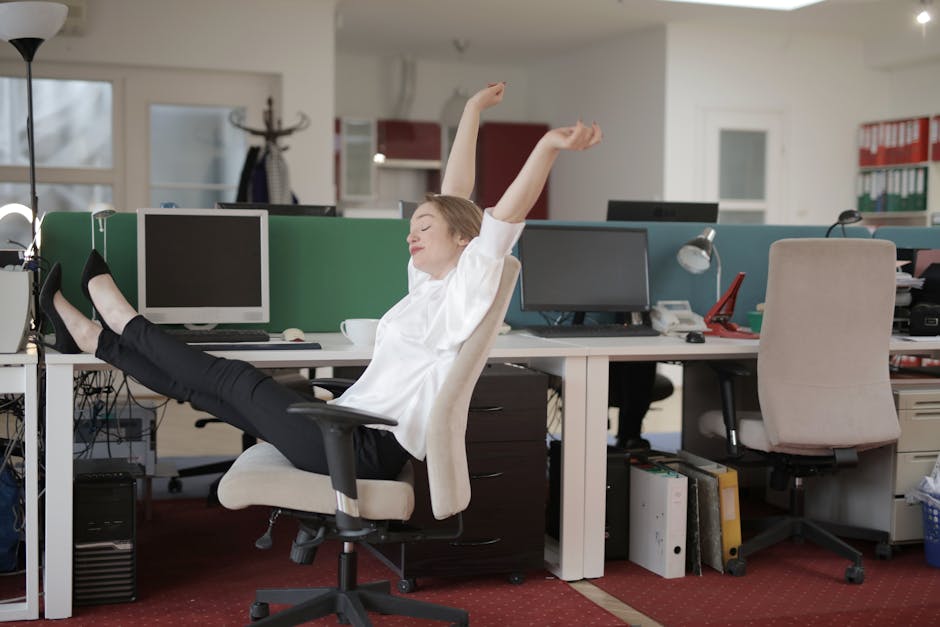
I’ve been at my desk for three hours straight, and my lower back feels like someone’s driving a screwdriver into my L4-L5 disc. This isn’t just me being dramatic—it’s a daily reality I’ve dealt with since my back injury in 2012. If you’re reading this, you probably know exactly what I’m talking about.
Here’s what I figured out after years of trying everything from ergonomic chairs to standing desks: the solution isn’t buying more stuff. It’s something much simpler that takes less than two minutes but can give you hours of relief. I’m talking about strategic micro-breaks—60 to 90-second movement breaks that work with your body’s physiology instead of against it.
The research backs this up too. Studies show these brief interruptions can reduce back pain by up to 40% while actually improving your focus and cognitive performance. I’ve been using this approach for the past few years, and it’s made a bigger difference than any piece of equipment I’ve bought.
Key Takeaways
Taking micro-breaks every 30-60 minutes reduces back pain by promoting blood flow and relieving muscle tension
Even 30-90 second movement breaks can counteract hours of sitting and improve spinal health
The Pomodoro Technique naturally incorporates micro-breaks that benefit both productivity and posture
Simple activities like standing, stretching, and brief walks are more effective than remaining sedentary
Break reminder apps and timers help establish consistent micro-break habits without disrupting workflow
Micro-breaks improve focus, reduce eye strain, and prevent the accumulation of postural stress throughout the day
I spent a lot of time reading research papers trying to understand why my back hurt so much after long coding sessions. What happens to your spine during extended sitting is pretty straightforward once you break it down mechanically.
When you sit for more than 30 minutes, the pressure on your spinal discs increases by about 40% compared to standing. That’s a significant load increase, and it reduces the nutrient flow to your disc tissue. Meanwhile, your postural muscles start to fatigue and weaken, which forces other muscle groups to compensate. This creates tension patterns that can persist even after you stop sitting.
Blood Flow and Muscle Function
The circulation piece is what really made sense to me from an engineering perspective. When you stand and move, you activate what’s called the muscle pump mechanism in your legs. This helps push blood back to your heart and brain, delivering fresh oxygen and nutrients to your spinal muscles while clearing out metabolic waste products that contribute to stiffness.
Movement also stimulates proprioceptors—these are sensory receptors in your joints and muscles that help you maintain proper posture. If you don’t activate these receptors regularly through micro-breaks, you lose postural awareness and end up slouching without realizing it. I noticed this pattern in myself before I started taking regular breaks.
Neurological Benefits
The brain benefits were an unexpected bonus I discovered. Regular movement breaks help with memory consolidation and improve cognitive performance. I actually solve more coding problems during my micro-breaks than I do staring at the screen.
These breaks also help regulate your autonomic nervous system. Extended focused work triggers a sympathetic stress response, and brief movement shifts you into a more balanced parasympathetic state that reduces muscle tension and promotes recovery.
What to Do During Your Micro-Break
I’ve tried a lot of different micro-break activities over the years. The most effective ones combine movement with gentle stretching to address the specific problems caused by sitting. You don’t need special equipment or much space—I do most of these right next to my desk.
Essential Movement Activities
Standing and gentle movement is your baseline. Just getting up from your chair activates your leg muscles and reduces that spinal compression. I hold this for 30-60 seconds while doing gentle side bends or shoulder rolls to get blood moving.
Brief walking amplifies the benefits significantly. Even a 60-second walk to get water or just around my workspace engages my core muscles and promotes spinal mobility. The rhythmic movement counters all that static loading from sitting.
Targeted Desk Stretches
These are the specific stretches I use during micro-breaks to target areas that get tight from sitting:
Spinal extension: I put my hands on my lower back and gently arch backward to counter that forward head posture
Hip flexor stretch: Step one foot back and push your hips forward to release tight hip flexors from all that sitting
Neck releases: Gentle head tilts and chin tucks to relieve neck and upper back tension
Shoulder blade squeezes: Pull shoulder blades together to activate those weakened upper back muscles
The 5-Step Perfect Micro-Break Routine
After trying various combinations, I settled on this 90-second sequence that hits all the major problem areas. I use this routine every 45-60 minutes:
Stand and breathe (15 seconds): Get up from your chair and take three deep breaths, letting your spine decompress naturally
Gentle spinal movement (30 seconds): Do slow side bends (5 each direction) and gentle spinal rotation (3 each way)
Hip flexor activation (20 seconds): Step back into a gentle lunge position, alternating legs to release those tight hip flexors
Shoulder and neck release (15 seconds): Roll shoulders backward 5 times and do gentle neck stretches
Brief walk or march (10 seconds): Take 10-15 steps or march in place to activate leg muscles and core
This routine addresses all the major areas that get problematic from prolonged sitting. It’s discrete enough for any office environment, and the key is consistency rather than intensity. Doing this every 45-60 minutes works better than sporadic longer breaks.
Technology Tools for Micro-Break Success
The biggest challenge isn’t knowing what to do during micro-breaks—it’s remembering to take them. When I’m deep in coding, hours can slip by without me realizing I haven’t moved. I’ve looked at various tech solutions to solve this problem.
Break Reminder Apps
Stretchly is the one I settled on. It’s open-source and lets you customize break reminders for both micro-breaks and longer rest periods. You can set different intervals and even include guided stretching exercises. I have mine set to remind me every 50 minutes.
Time Out for Mac and Workrave for Windows work similarly, but they’ll actually block your screen during break times. This forces you to step away from your computer, which I found helpful when I was first building the habit.
Smart watch notifications work well because they tap your wrist instead of disrupting your screen. I use the movement reminders on my fitness tracker, customized for my micro-break schedule. It’s less intrusive than screen notifications.
Simple Timer Solutions
Don’t overlook basic solutions. Your phone’s built-in timer, browser extensions, or even a traditional desk timer can work effectively. I used a simple phone timer for months before switching to Stretchly. The key is picking something that fits into your workflow without becoming another distraction.
The Pomodoro Technique: Productivity Meets Spinal Health
The Pomodoro Technique was developed in the late 1980s for time management, but it accidentally created a perfect framework for back pain prevention. The method uses 25-minute focused work sessions with 5-minute breaks, which naturally incorporates micro-breaks that benefit both mental performance and spinal health.
What makes this particularly effective is the timing. Research shows postural muscles start to fatigue after about 20-30 minutes of sitting, so the 25-minute work intervals align perfectly with your body’s needs. I’ve been using a modified version of this for about two years now.
Adapting Pomodoro for Back Health
Traditional Pomodoro breaks focus on mental rest, but I use these intervals for the physical movement routine I described earlier. Instead of checking social media or emails during the 5-minute break, I do the micro-break sequence.
Every fourth break (typically 15-30 minutes), I extend the movement break to include a longer walk or more comprehensive stretching routine. This serves as a more substantial reset for both mind and posture.
The psychological benefit is significant too. Because the breaks are part of a productivity system rather than an interruption to work, I’m more likely to maintain consistency. There’s no guilt about stepping away from tasks because it’s built into the method.
Overcoming Common Micro-Break Obstacles
I ran into several barriers when I first started implementing micro-breaks. The main ones were productivity concerns, workplace culture issues, and worry about interrupting flow state during intense focus periods.
Productivity concerns turned out to be unfounded. Research consistently shows that regular breaks improve overall work output and reduce errors. I actually get more done now than when I used to sit for 3-4 hour stretches without moving.
Workplace culture challenges can be tricky, but I found success by framing micro-breaks as performance optimization rather than just taking breaks. I discussed the approach with my team lead, focusing on the productivity and wellness benefits. Most managers are supportive once they understand the rationale.
Flow state interruption was a valid concern for me as a programmer. I found that micro-breaks can actually enhance creative problem-solving by providing mental incubation time. If I’m really deep in focus, I might extend the work period slightly, but I try not to go beyond 90 minutes without movement.
Building Your Personal Micro-Break System
Creating a sustainable micro-break practice requires personalizing the approach to fit your work style, physical needs, and environment. I started by tracking my current sitting patterns and noting when back pain or stiffness typically developed.
Begin with a conservative approach. I started with a timer set for every 45 minutes and committed to just 30 seconds of standing and gentle movement. As this became habitual, I gradually extended the duration and frequency. The goal is establishing consistency before optimizing the routine.
Pay attention to your body’s feedback. Some people benefit from more frequent, shorter breaks, while others prefer slightly longer intervals. My ideal frequency also varies based on my current fitness level, how my back is feeling that day, and the type of work I’m doing.
Frequently Asked Questions
How often should I take micro-breaks to prevent back pain while working?
From my experience and the research I’ve read, taking micro-breaks every 30-60 minutes is most effective. When you sit for more than 30 minutes, your spinal discs experience up to 40% more pressure and blood flow to muscles decreases. I set my timer for 45-60 minute intervals, which helps establish a consistent routine that prevents problems before they start.
Can micro-breaks really make a difference if they're only 60-90 seconds long?
Yes, they absolutely can. I was skeptical at first too, but studies show micro-breaks can reduce back pain by up to 40% while improving cognitive performance. These short movements activate your muscle pump mechanism, improve blood circulation, and reduce spinal compression. I’ve found that consistency matters more than duration—frequent short breaks work better than occasional longer ones.
What should I do during my micro-break if I'm in a busy office environment?
The most effective activities can be done discretely at your desk. I simply stand for 30-60 seconds while doing gentle side bends or shoulder rolls. Take a brief walk to get water or use the restroom, or do seated spinal twists and neck stretches. Even marching in place for 10-15 steps activates your core muscles and promotes spinal mobility without drawing attention.
Will taking frequent micro-breaks hurt my productivity and focus?
Actually, micro-breaks enhance productivity rather than hurt it. The research shows these brief interruptions improve focus, memory retention, and cognitive performance. I often solve coding problems during my micro-breaks that I couldn’t figure out while staring at the screen. The improved blood flow and reduced muscle tension also help maintain energy levels throughout the day.
What's the best way to remember to take micro-breaks when I'm focused on work?
Technology tools are your best option for building consistent habits. I use Stretchly for customizable break reminders, but smartwatch alerts work well too since they give gentle wrist taps without disrupting your screen focus. Simple solutions like phone timers or browser extensions also work. The key is choosing a reminder method that integrates into your workflow without becoming another distraction.
The Bottom Line
Micro-breaks are one of the most powerful and underutilized tools for preventing and reducing back pain in desk workers. After dealing with chronic back pain for over a decade, these brief movement intervals have made a bigger difference than any chair, desk, or gadget I’ve purchased.
The mechanism is straightforward: micro-breaks address the root causes of sitting-related discomfort by improving circulation, reducing muscle fatigue, decreasing spinal compression, and maintaining postural awareness. Even minimal movement every 30-60 minutes can dramatically improve your physical comfort and mental performance.
Whether you use the Pomodoro Technique, break reminder apps, or simple timers, the key is establishing a consistent practice that becomes automatic. Remember that micro-breaks aren’t about perfection—they’re about progress. A 30-second stand-and-stretch is infinitely better than remaining sedentary. Start tomorrow by setting a timer for 45 minutes, and when it goes off, stand up and take three deep breaths while doing gentle side bends.
Products Mentioned in This Article
As an Amazon Associate, I earn from qualifying purchases. These links help support the site at no extra cost to you.