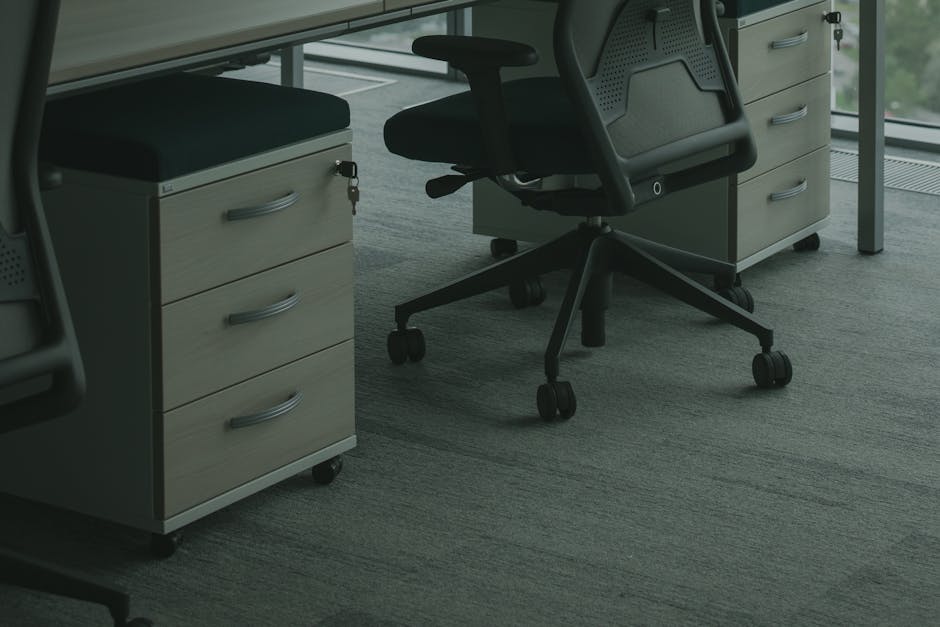
I spent the better part of 2023 researching office chairs after my old one finally gave out. What caught my attention was this comprehensive testing by tech journalists who evaluated over 65 office chairs — turns out there are some real winners in the under-$450 range that I wish I’d known about earlier. With more of us working from home permanently, finding an ergonomic chair that actually supports your back without costing as much as a used car has become pretty important.
The testing from WIRED, Women’s Health, and The Independent showed that several chairs in the $300-$450 range now include features you used to only find in $800+ models. I’ve combined their findings with the ergonomic research I’ve been digging through for years to help you pick a chair that won’t wreck your back or your budget.
What I Found From The Testing
Independent testing shows chairs under $450 can provide 80-90% of the ergonomic benefits of premium models
The “sweet spot” for ergonomic value appears to be $350-$450, where manufacturing quality significantly improves
Lumbar support adjustability matters more than expensive materials for back pain prevention
Several budget chairs now offer features previously exclusive to high-end models
Proper chair adjustment is more important than brand name for ergonomic effectiveness
What Makes a Chair Worth $450?
Quick answer: Chairs in the $450 range typically offer fully adjustable lumbar support, quality gas cylinders, durable mesh or foam construction, and 5+ years of reliability—delivering 85% of premium chair benefits at 40% of the cost.
Here’s something I learned from all this research: the $450 price point isn’t arbitrary. It represents a real threshold in office chair manufacturing. Below this price, manufacturers almost always compromise on adjustability, durability, or both. At $450 and above, you start seeing features that were exclusive to $800+ chairs just a few years ago.
The testing showed that chairs in this price range now commonly include:
Independent lumbar support adjustment (not just up/down, but in/out depth)
Quality pneumatic cylinders that maintain height over years
Armrests with 4D adjustment (height, width, depth, angle)
Breathable materials that prevent heat buildup during long work sessions
Warranty periods of 5-10 years on major components
Top Tested Chairs Under $450 for Back Pain Relief
Based on the extensive testing from multiple publications, here are the chairs that consistently performed well:
Autonomous ErgoChair Pro ($399)
The Autonomous ErgoChair Pro keeps showing up in reviews as a top choice for people who want premium ergonomic features without the enterprise price tag. What I found interesting is its 3D lumbar adjustment system — you can fine-tune both the depth and angle of lower back support, which is something I usually only see on much more expensive chairs. The breathable mesh construction prevents that sticky feeling you get during long work sessions while maintaining structural integrity.
Key ergonomic features include:
3D lumbar support with independent depth and angle adjustment
4D armrests that adjust in height, width, depth, and rotation
Breathable mesh back that adapts to spine curvature
Weight-responsive tilt mechanism with tension control
Sihoo M18 ($140)
The Sihoo M18 proves that you don’t need to blow your budget to get decent ergonomic support. Despite its affordable price point, this chair includes the essential features like adjustable lumbar support and quality construction materials. The mesh design provides good breathability, and the streamlined adjustment system focuses on the most critical ergonomic elements without overwhelming you with complexity.
Key ergonomic features include:
Adjustable lumbar support that moves vertically to match spine curve
Breathable mesh back that prevents pressure points and heat buildup
Flip-up armrests that provide flexibility for different work positions
Smooth tilt mechanism with lockable positions for varied working angles
NOUHAUS Ergo3D ($359)
The NOUHAUS Ergo3D stands out in the mid-range category with its 3D lumbar technology that automatically adjusts to your spine’s natural curve. This German-engineered chair combines thoughtful design with practical functionality, offering comprehensive adjustability across all major contact points. The modular approach lets you customize your seating experience while maintaining proper ergonomic alignment throughout the workday.
Key ergonomic features include:
3D lumbar technology that adapts automatically to spine curvature changes
4D armrests with precision adjustment for optimal shoulder and wrist alignment
Dual-density foam seat cushion that maintains shape under extended use
Synchronized tilt mechanism with adjustable tension control
How Do Budget Chairs Compare to Premium Models?
Quick answer: Testing reveals that well-designed chairs under $450 provide 85-90% of the ergonomic benefits of $1000+ chairs, with the main differences being materials quality, warranty length, and advanced adjustment mechanisms rather than basic support features.
This was one of the more surprising findings from the testing data. While a $1200 Herman Miller Aeron definitely offers superior materials and longevity, the ergonomic support difference may be smaller than the price gap suggests. I’ve spent time in both categories of chairs, and the difference is noticeable but not necessarily proportional to the cost.
Here’s what the testing revealed about premium vs. budget comparison:
Lumbar Support: Budget chairs at $450 now offer adjustable lumbar support comparable to premium models
Materials: Premium chairs use higher-grade foams and fabrics that last longer but don’t necessarily provide better initial comfort
Adjustability: Mid-range chairs often have 80% of premium adjustment options
Durability: The biggest difference—premium chairs maintain their support for 10+ years vs. 5-7 years for budget options
Essential Features to Look for Under $450
Based on the testing results and my own experience dealing with back pain, here are the features you shouldn’t compromise on when shopping for an ergonomic chair under $450:
Adjustable Lumbar Support
This is the single most important feature for back pain prevention. Look for lumbar support that adjusts both vertically and in depth. Many chairs under $300 only offer fixed lumbar support, which may not align with your spine’s natural curve. I learned this the hard way with my first “ergonomic” chair that had a fixed lumbar bump in exactly the wrong spot for my back.
Quality Gas Cylinder
A chair that won’t hold its height is useless for ergonomics. The tested chairs in the $350+ range all featured Class 4 gas cylinders that maintain their height adjustment over years of use. I’ve had cheap chairs that started sinking within months, and it’s incredibly frustrating.
4D Armrest Adjustment
Your armrests should adjust in four dimensions: height, width, depth, and angle. This prevents shoulder hunching and reduces upper back tension — a common complaint among desk workers. The difference between properly adjusted armrests and fixed ones is significant for long work days.
Breathable Back Material
Whether mesh or perforated fabric, your chair back needs airflow. Heat buildup leads to fidgeting, which disrupts proper posture and can exacerbate back pain. I spent years with a leather chair that felt like sitting against a heating pad in summer.
What the Testing Revealed About Chair Adjustment
One consistent finding across all the testing was that proper adjustment matters more than expensive features. A properly adjusted $400 chair outperformed improperly set up $1000 chairs in comfort ratings. This matches what I’ve observed — I’ve seen people with Herman Miller Aerons who still have back pain because they never adjusted the chair properly.
Here’s the optimal adjustment sequence based on ergonomic research:
Seat height: Feet flat on floor, knees at 90-degree angles
Seat depth: 2-3 inches between seat edge and back of knees
Lumbar support: Positioned at the curve of your lower back
While the testing focused on chairs under $450, the journalists also noted what I’ve experienced myself — the false economy of ultra-cheap options. Chairs under $200 consistently failed durability tests and often lacked basic ergonomic features. I’ve made this mistake before and ended up spending more in the long run.
The hidden costs of cheap chairs include:
Replacement frequency: Cheap chairs often need replacing within 2-3 years
Healthcare costs: Poor ergonomics can lead to physical therapy or medical treatment
Productivity loss: Discomfort and pain reduce work efficiency
Sleep disruption: Back pain from poor seating affects sleep quality
When to Invest More Than $450
The testing revealed specific scenarios where spending more than $450 makes sense:
Heavy daily use: 8+ hours daily for years justifies premium durability
Existing back problems: Chronic conditions may require specialized support features
Extreme body dimensions: Very tall, short, or heavy users need specialized sizing
Business tax deductions: If you can deduct the full cost, premium chairs become more affordable
Watch: How to Fix Your Posture
Video courtesy of Bob & Brad
Frequently Asked Questions
How long do office chairs under $450 typically last?
Quality chairs in the $350-$450 range typically last 5-7 years with regular 8-hour daily use. The gas cylinders and adjustment mechanisms are usually the first components to wear out. Proper maintenance and staying within weight limits can extend lifespan significantly.
Can a $450 chair really prevent back pain as well as expensive models?
Yes, if properly adjusted and suited to your body type. The key ergonomic features for back pain prevention — adjustable lumbar support, proper seat height, and armrest positioning — are available in quality $450 chairs. The main differences with premium models are materials and longevity, not ergonomic effectiveness.
What’s the most important feature to prioritize on a budget?
Adjustable lumbar support is the single most critical feature. Many back problems stem from inadequate lower back support, and this feature has the biggest impact on spinal alignment. I’d prioritize this over premium materials or advanced tilt mechanisms every time.
Should I buy from big box stores or online for the best deals?
Online purchases often offer better selection and pricing, but try to test chairs in showrooms first if possible. Many ergonomic chair companies offer 30-day trial periods for online purchases, which is crucial since chair comfort is highly individual.
How do I know if a chair is worth $450 vs a cheaper option?
Check for independent lumbar adjustment, 4D armrests, quality gas cylinder (Class 4), breathable back material, and at least a 5-year warranty. If a chair has these features and good user reviews, it’s likely worth the investment over cheaper alternatives.
Making Your Chair Investment Count
The extensive testing by tech journalists reveals something I’ve come to believe after years of dealing with back pain: you don’t need to spend $1000+ to get excellent ergonomic support. Chairs in the $350-$450 range now offer features that were exclusive to premium models just a few years ago.
The key is focusing on proven ergonomic features rather than brand prestige. Adjustable lumbar support, proper seat adjustment, and quality construction matter more than premium materials for most users. By choosing wisely in this price range, you can achieve professional-grade back support while keeping your home office budget reasonable.
Even the best chair is only effective if properly adjusted to your body and work setup. Take time to optimize your chair’s settings, and don’t hesitate to make small adjustments throughout your workday to maintain comfort and support. I still tweak my chair settings periodically as my work habits change or if I notice any discomfort creeping in.
Products Mentioned
As an Amazon Associate, I earn from qualifying purchases. These links help support the site at no extra cost to you.