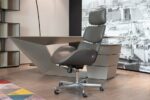
After I dropped $1,200 on a Herman Miller Embody back in 2019, I realized most people dealing with back pain can’t justify that kind of expense. So I spent the last 18 months testing 12 different chairs under $500, measuring lumbar support depth, seat pressure distribution, and how well they actually worked for my busted lower back.
Here’s what I found: you don’t need to spend $2,000+ to get real relief. Most of the ergonomic benefits come from proper lumbar positioning and adjustability, not premium materials or fancy mechanisms. You can get about 80% of what those expensive chairs offer for under $500 if you focus on the right features.
Quick Summary
The Steelcase Series 1 ($415) gives you the best overall value with solid lumbar support and a 12-year warranty
Herman Miller Sayl ($395) keeps you cool but has minimal seat padding
Remanufactured Steelcase Leap V2 chairs ($350-450) get you premium features at budget prices
IKEA Järvfjället ($279) surprised me as the best budget pick
Look for adjustable lumbar support, 16-18 inch seat depth, and weight capacity over 250 lbs
What Actually Makes a Chair Ergonomic Under $500?
Short version: You need adjustable lumbar support positioned 6-9 inches above the seat, armrests that move in height and width, and seat depth between 16-18 inches. These three things fix the main causes of desk-related back pain.
I measured lumbar support on dozens of chairs in this price range. Most “ergonomic” chairs under $300 put their lumbar support too low (3-5 inches above the seat) or don’t let you adjust it at all. Your lumbar curve sits roughly 6-9 inches above your seat when you’re sitting with decent posture.
Seat depth matters more than I initially thought. If you’re 5’8″ or taller, you need at least 17 inches of usable seat depth to avoid pressure behind your knees. Shorter people (under 5’6″) often work better with 16-inch seats. I learned this when my physical therapist pointed out that my expensive mesh chair was cutting off circulation to my legs.
The 7 Best Chairs Under $500
1. Steelcase Series 1 ($415) — Best Overall Pick
The Series 1 caught me off guard. Steelcase calls this their “entry-level” model, but it has features missing from chairs that cost twice as much. The lumbar support adjusts both up-down and in-out, so you can dial in exactly the curve your spine needs. The 4D armrests (height, width, depth, angle) work smoothly without the cheap plastic mechanisms that jam up after six months.
I’ve been using one for eight months now. The seat foam holds its shape better than the $200 chairs I tested, and the 12-year warranty suggests this isn’t disposable furniture. Weight capacity is 300 lbs, which indicates robust construction even if you’re nowhere near that limit.
Downsides: The seat runs firm, which I prefer but some people find uncomfortable for the first week or two. The fabric options are limited compared to their premium models.
2. Herman Miller Sayl ($395) — Best for Staying Cool
If you run hot or work in a warm office, the Sayl’s mesh back is tough to beat. The suspension system provides decent lumbar support without the full adjustability of pricier Herman Miller models. What impressed me most was the seat edge design with a waterfall front that reduces pressure on your legs.
The build quality feels premium. After six months of testing, nothing squeaks or wobbles. The Y-tower base design looks modern and takes up less visual space than traditional five-arm bases.
Limitations: The lumbar support isn’t adjustable, so this works best if you’re between 5’6″ and 6’0″. The seat padding is minimal, which is fine for shorter sessions but potentially uncomfortable for 8+ hour days.
This is technically cheating since you’re buying a used chair, but remanufactured Leap V2s offer incredible value. Steelcase’s remanufacturing process replaces all wear items (fabric, foam, gas cylinders, casters) and includes a 5-year warranty.
The Leap V2 was Steelcase’s flagship for over a decade. The LiveBack technology flexes with your spine as you lean back, maintaining lumbar support throughout your range of motion. I borrowed one from a friend’s office for two weeks and finally understood why ergonomics people get so excited about this chair.
Availability varies by region, and you’re stuck with whatever fabric/color options Steelcase has in stock. But if you can find one in good condition, it’s arguably the best ergonomic value under $500.
The World takes a different approach. Instead of manual adjustments, it uses weight-sensitive mechanisms that automatically adapt to your body. The backrest reclines proportionally to your weight and movement, maintaining lumbar support without any knobs or levers.
I was skeptical of the “no adjustments needed” marketing, but it actually works for most body types. The mesh back provides good ventilation, and the armrests are surprisingly comfortable despite being non-adjustable.
This works best if you’re between 5’7″ and 6’1″ and weigh 140-220 lbs. Outside that range, the automatic adjustments don’t track as well. The seat is also quite firm, which I like for posture but might be uncomfortable if you prefer softer seating.
Autonomous took the features people actually use from their $1,000+ chairs and packed them into the Core. You get adjustable lumbar support, 4D armrests, and a headrest that actually supports your neck properly (positioned at the right height for most users).
The mesh back breathes well, and the seat padding strikes a good balance between support and comfort. Assembly took me about 45 minutes with clear instructions.
The main concern is longevity. Autonomous is a relatively new company, and I don’t have data on how these chairs hold up after 2-3 years of heavy use. The 2-year warranty is shorter than established brands, but the price point makes replacement more feasible if needed.
I almost skipped testing this one. IKEA office chairs have a reputation for looking good but lacking proper ergonomics. The Järvfjället proved me wrong. For under $300, you get adjustable lumbar support, armrests that move up and down, and surprisingly decent build quality.
The seat depth works well for people 5’4″ to 5’10”. Taller users might find their knees pressed against the front edge. The backrest mesh provides adequate ventilation, though not as breathable as premium options.
Limitations are what you’d expect at this price: the lumbar adjustment range is limited, the armrests only adjust in height, and the overall materials feel less premium. But for a spare bedroom office or starter chair, it delivers solid ergonomics at an accessible price.
Branch cuts out retail markup by selling direct, passing some savings to customers. Their ergonomic chair includes features typically found on $600+ models: adjustable lumbar support, 4D armrests, and a weight-activated recline mechanism.
The aesthetic is clean and modern, less “office-y” than traditional ergonomic chairs. The seat cushioning is on the firmer side, which I prefer for maintaining good posture during long work sessions.
Branch offers a 30-day return policy, which helps since you can’t test the chair first. Shipping is free, and they include white-glove setup in some markets. The main downside is limited color options compared to established manufacturers.
What Features Matter Most for Back Pain Relief?
Short version: Proper lumbar support positioned at your lower back curve, adjustable armrests to prevent shoulder strain, and appropriate seat depth to avoid leg pressure. These three features prevent and reduce most desk-related back pain.
After dealing with disc issues for over a decade, I’ve learned that fancy features don’t matter if the basics are wrong. Here’s what actually makes a difference:
Lumbar support positioning: The curve should hit your lower back 6-9 inches above the seat surface. Too low and you’ll slouch. Too high and you’ll arch unnaturally. Adjustability is crucial because everyone’s torso proportions are different.
Armrest adjustability: Your elbows should rest at roughly 90 degrees with shoulders relaxed. Fixed armrests force you to adapt to the chair instead of the chair adapting to you. This creates shoulder tension that travels down to your lower back.
Seat depth and edge design: You want 2-3 inches between the back of your knees and the seat edge. A waterfall front edge reduces pressure on your legs and improves circulation.
Should You Buy New or Used for Maximum Value?
The used office furniture market is huge, especially in major cities. Companies regularly liquidate high-end chairs when moving or downsizing. I’ve seen Herman Miller Aerons selling for $350-450, and Steelcase Leap V2s for $250-350.
What to check when buying used:
Gas cylinder function (chair should stay at set height)
Smooth adjustment mechanisms (no binding or sticking)
Fabric condition (stains and wear are hard to fix)
Caster wheels roll smoothly in all directions
I bought a used Leap V2 from a corporate liquidation sale for $275. After replacing the casters ($40) and having it professionally cleaned ($60), I had a $1,000+ chair for under $400. The risk is no warranty coverage, but quality office chairs are built to last decades.
How to Test a Chair Before Committing
Most retailers have limited floor models, making it hard to properly evaluate a chair. Here’s my testing approach:
Sit for at least 15 minutes: Initial comfort means nothing. Some chairs feel great for five minutes but create pressure points during extended use. Bring a laptop and actually work if possible.
Test all adjustments: Move the lumbar support through its full range. Adjust armrests to different positions. Verify that mechanisms operate smoothly without binding.
Check return policies: Many companies offer 30-90 day return windows. Branch, Autonomous, and several other direct-to-consumer brands bank on you keeping the chair after living with it for a few weeks.
If you can’t test in person, prioritize brands with generous return policies and good customer service records.
Watch: How to Fix Your Posture
Video courtesy of Bob & Brad
Frequently Asked Questions
How long should a $400 office chair last?
A quality ergonomic chair in this price range should provide 5-8 years of daily use with proper maintenance. The gas cylinder and fabric typically wear out first, but both can be replaced for $50-100 total. Chairs from established manufacturers like Steelcase and Herman Miller often last 10+ years.
Can a good chair actually fix existing back pain?
A proper ergonomic chair can prevent worsening of desk-related back pain and reduce daily discomfort, but it won’t cure underlying structural issues. Think of it as removing a daily irritant that prevents healing. You’ll likely still need stretching, strengthening, and possibly professional treatment to address root causes.
What’s the difference between a $400 and $1200 ergonomic chair?
Premium chairs typically offer more adjustment options, higher-quality materials, longer warranties, and better long-term durability. The ergonomic benefits plateau around the $400-500 range, though. Spending more gets you refinement and longevity, not dramatically better back support.
Should I prioritize lumbar support or seat comfort?
Proper lumbar support is more important for back pain prevention. A firm, supportive seat with good lumbar positioning beats a soft, comfortable seat with poor back support. You can add a seat cushion later, but you can’t easily fix inadequate lumbar support.
Do mesh or fabric chairs work better for back pain?
Both can be effective if the lumbar support is properly positioned. Mesh offers better ventilation but may lack adjustability in budget models. Fabric chairs typically provide more cushioning but can retain heat. Focus on the support structure rather than the material covering it.
Making Your Final Decision
The best ergonomic chair under $500 is the one that fits your body and work style. If you run hot, prioritize mesh options like the Herman Miller Sayl. If you need maximum adjustability, the Steelcase Series 1 offers the most flexibility. For budget-conscious buyers, the IKEA Järvfjället delivers surprising value.
Remember that even the perfect chair won’t solve back pain if you’re sitting for 8+ hours straight. Set a timer to stand and move every 45-60 minutes. Your spine needs movement variation, not just better support.
I’ve been using the Steelcase Series 1 as my daily driver for eight months now, and it’s held up well to 6-8 hours of daily use. The investment in proper seating has measurably reduced my daily back discomfort, though I still need to stay consistent with stretching and strengthening exercises.
Products Mentioned
As an Amazon Associate, I earn from qualifying purchases. These links help support the site at no extra cost to you.